Give the location meaning.
Use supported proximity fields in your own listing cards so visitors can see relevant local information before opening the full property.
Website language
For mobile product teams
Help people explore daily life around a home while they browse and shortlist properties. Bring neighbourhood context into the app experience they already know.
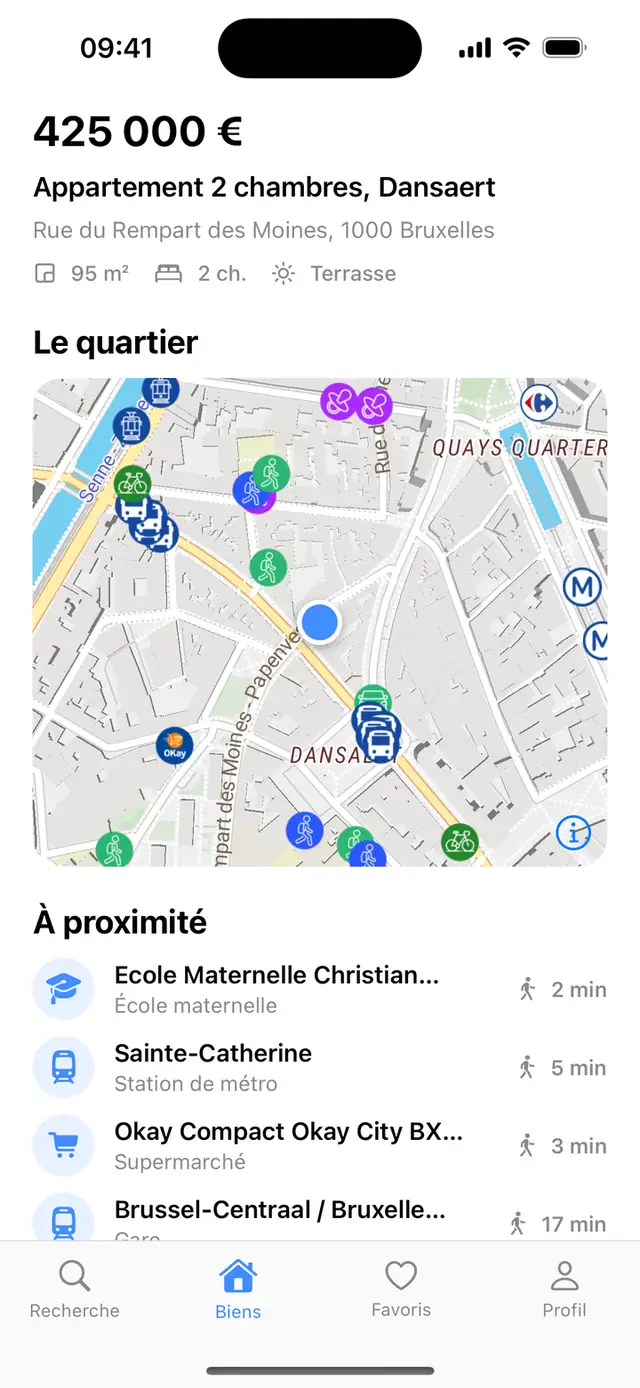
Local context throughout the property journey.
Design around buyer questions
Use supported proximity fields in your own listing cards so visitors can see relevant local information before opening the full property.
Let people inspect the surroundings and select useful categories on the property’s neighbourhood map.
Help people compare the returned places and available travel context against their own priorities, alongside your listing facts.
One location layer across channels
Use Yatmo’s location services across your website and app, while keeping each interface appropriate to its platform. Align country, language, category and refresh choices so the experience is understandable across channels.
Your product team controls navigation, saved properties, enquiry forms and analytics. Yatmo provides the neighbourhood layer; it does not replace your listing system or promise an automatic conversion uplift.
Choose your SDKFit the app you have
Native experience
Explore the documented Swift, Kotlin, React Native and Flutter integrations for a native map and supported location data.
Mobile SDK referenceHybrid experience
A WebView can bring the web neighbourhood experience into an existing app screen.
WebView referenceCustom experience
Use the documented tiles, styles and data approach when your team already operates the map interface.
Bring-your-own-map guideMake the trial measurable
Start with a listing detail view and representative addresses for each target country.
Review gestures, labels, readability, loading and empty states on the devices your customers use.
Compare neighbourhood interactions, shortlisting and enquiries in your own analytics. Use a test and control group where practical.
Your addresses. Your product.
Share a listing URL, your markets and the experience you want to build. Let’s review it together and arrange a one-month trial.